Why this problem is more serious than it looks
If you’ve ever filled an online form for a government job, exam, or admission, you already know the stress.
From my experience (and after helping many students), most application rejections don’t happen because candidates are unqualified — they happen because of small, avoidable form-filling mistakes.
What makes it worse is that:
- You usually don’t get a second chance
- Authorities rarely inform you what exactly went wrong
- By the time you realize it, the deadline is gone
This article is for Indian govt job aspirants — beginners and intermediates — who want to protect their application from getting cancelled due to silly errors.
No hype. No shortcuts. Just real, practical guidance.
1. Personal details mismatch (Name, DOB, parents’ name)
What actually goes wrong
The most common issue I’ve seen is mismatch between the application form and official documents.
Examples:
- Name in Aadhaar: Rahul Kumar
Name in form: Rahul Kr. - DOB typed as 12/08/2002 instead of 21/08/2002
- Father’s name spelling differs from marksheet
Why this matters
Most boards auto-verify data during later stages (admit card, document verification).
If even one detail doesn’t match, your application can be marked invalid.
Practical fix
- Always keep 10th marksheet open while filling the form
- Copy spellings exactly — no short forms
- If your documents already have mistakes, fix them before applying (where possible)
2. Uploading wrong photo or signature (this alone cancels thousands of forms)
Real-life mistakes I see often
- Old photo (5–10 years old)
- Photo with cap, sunglasses, or blur
- Signature in CAPITAL letters
- Scanned photo instead of digital photo
Why authorities reject these
Your photo and signature are used for:
- Admit card identity
- Exam center verification
- Final records
If they don’t match the guidelines, the system rejects or later invalidates the form.
Safe approach
- Use a recent passport-size photo (plain background)
- Neutral expression, no filters
- Signature: normal running handwriting, black/blue pen
- Check size, format (JPG/JPEG), and KB limit carefully
3. Selecting the wrong category (General / OBC / EWS / SC / ST)
A very costly mistake
I’ve seen candidates lose selection even after clearing exams because:
- They selected OBC but didn’t have a valid central/state certificate
- EWS selected without proper year certificate
- Category selected “General” by mistake
Why this is dangerous
Category selection affects:
- Application fee
- Cut-off marks
- Reservation benefits
Once submitted, category usually cannot be changed.
What to do before selecting
Ask yourself:
- Do I have a valid certificate in required format?
- Is it issued by the correct authority?
- Is it within validity period?
If unsure, it’s safer to apply as General than risk cancellation later.
4. Qualification details entered incorrectly
Common errors
- Wrong passing year
- Incorrect board/university name
- CGPA converted wrongly into percentage
- Selecting “appearing” instead of “passed”
Why this causes rejection
During document verification, even a minor mismatch can lead to disqualification — especially in competitive exams.
Practical workflow I recommend
- Keep all marksheets in front of you
- Don’t rely on memory
- If conversion formula is not clearly mentioned in notification, don’t guess — mention as per marksheet or official rule
5. Email ID and mobile number mistakes
This looks small, but it’s critical.
Real problems candidates face
- Typing wrong email ID
- Using someone else’s number
- Losing access to the registered number
Why this matters
- OTP verification
- Admit card alerts
- Result notifications
If you lose access, you lose communication.
Best practice
- Use your own active email & mobile number
- Don’t change or deactivate them until the entire process ends
- Save login credentials securely
6. Skipping preview and final review (most regret happens here)
What usually happens
Candidates:
- Rush before deadline
- Click “Final Submit” without preview
- Notice mistake after submission
At that point, it’s too late.
Why preview matters
Preview is your last and only chance to:
- Check spelling
- Verify uploads
- Confirm category & qualification
Rule I personally follow
Never submit an application on the same day you start filling it.
Take a break, come back, then submit.
7. Payment-related mistakes that invalidate forms
Common payment issues
- Payment deducted but form not completed
- Closing browser too early
- Not downloading payment receipt
Why this causes trouble
Sometimes your form remains in “Incomplete” or “Pending” status, and you assume it’s done.
Safe routine
- Wait for confirmation page
- Download application + fee receipt
- Check status after logging in again
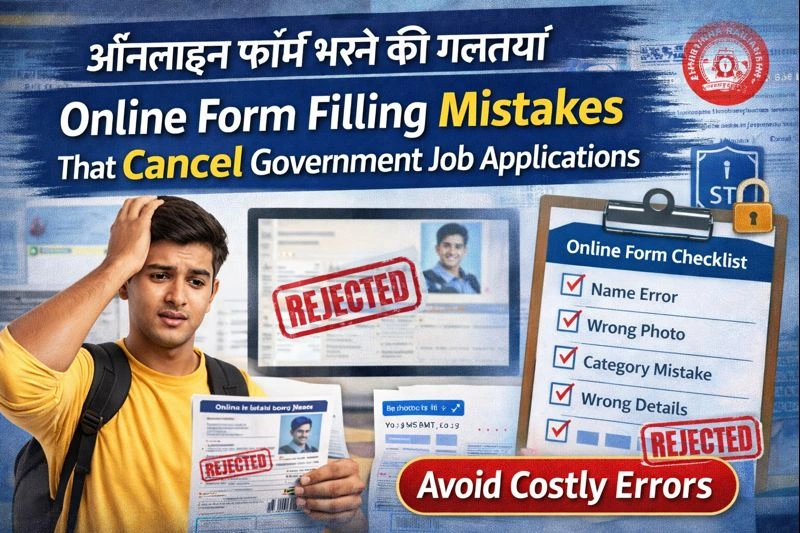
Copyable Checklist: Before You Click “Final Submit”
You can save this
- Name & DOB exactly match 10th marksheet
- Photo & signature as per instructions
- Correct category selected with valid certificate
- Qualification details verified from marksheets
- Active email & mobile number used
- Preview checked line by line
- Payment status confirmed
- Application PDF saved
Key Takeaway: Slow is safe, fast is risky
From years of observing applications and helping aspirants, one thing is clear:
Online forms don’t forgive carelessness.
Marks, preparation, and hard work matter — but none of it counts if your form gets rejected.
Take your time. Double-check. Don’t rush because of deadlines.
A careful 30 minutes can save you an entire year.
FAQs (Based on real student doubts)
1. Can I correct mistakes after final submission?
Usually no. Some forms allow limited correction windows, but you should never rely on that.
2. What if my payment is deducted but form not submitted?
Check application status first. If incomplete, contact helpdesk with transaction ID.
3. Is mismatch in father’s name a serious issue?
Yes. It often causes problems during document verification.
4. Can I use cyber café for form filling?
Yes, but personally verify everything before submission. Many errors happen due to miscommunication.
5. What document should I trust most while filling details?
Your 10th marksheet — it’s the base document for name and DOB.
6. Should I fill forms on the last day?
Avoid it. Server issues and payment failures are common on last dates.
7. Can wrong photo really cancel my candidature?
Yes. It’s one of the most common rejection reasons.